

Change Language
CPL Commander detects your system language automatically. However you can change it.
Note: this option is available in Windows 7 and 8. You can't change the program language in Windows XP and Vista.
1. Run CPL Commander.
2. Click on Language.

3. Select language from the list.
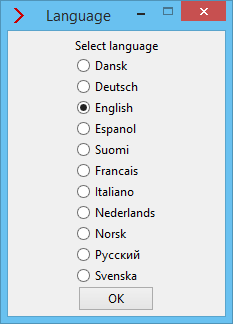
4. Click on OK.
Important Note
If your language is not supported, then CPL Commander will not run in Windows XP and Vista. It will run and function properly in Windows 7 and 8, but its user interface will be in English. Supported languages:
- Danish
- Dutch
- English
- Finnish
- French
- German
- Italian
- Norwegian
- Russian
- Spanish
- Swedish